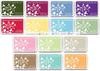
Complete Ink Swatch Book Downloads

UPDATE: I have a new downloads page that includes all the updated Ink Swatch downloads for 2021!  Check it out HERE.

A few weeks ago I shared a video showing my Ink Swatch Book, along with many free ink swatch downloads. Today I am sharing my final batch of downloads, along with an editable file if you want to create your own.
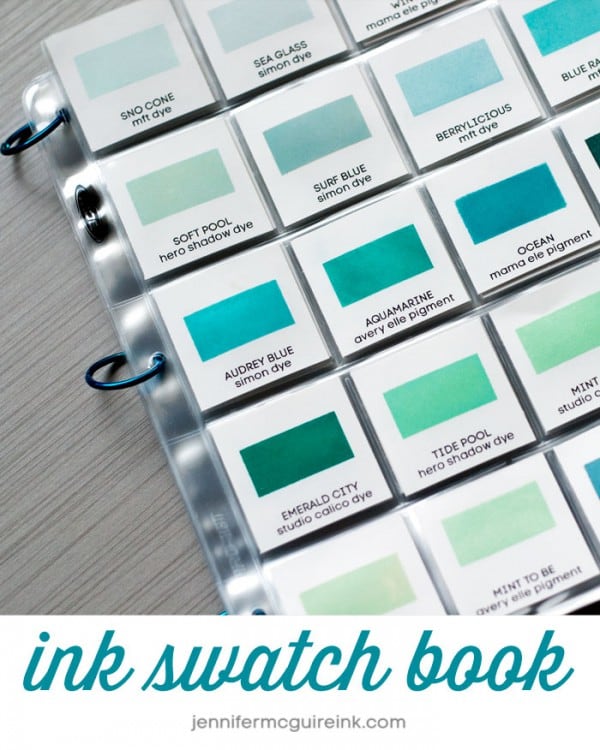
In case you missed it – here the video I shared a few weeks ago that explains how I organize my ink swatches. I am still very much loving and very much USING this book.


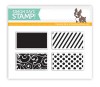
I use coin pages to hold my 2” x 2” ink swatches and hold the pages together with ring clips. The Simon Says Stamp Swatch Stamp works perfectly for getting a nice ink sample on each square. (However, you can use any stamp you may have.) This makes for a very convenient ink organization system. I love it! I plan to also add my cardstock swatches to the book.

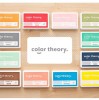
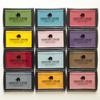
We have created many free downloadable ink swatch pages for many popular ink lines. At the end of the list are two editable files – one for Photoshop and one for Microsoft Word. Between these files, you should have everything you need to get organized. All you have to do is download the files (click DOWNLOAD for each) and print on your favorite white cardstock. (I printed mine on Neenah since that is what I use most.) Some inks have more than one page since there are so many colors.

UPDATED ON 4/24/17. MORE UPDATES COMING

EDITABLE VERSIONS:

  • Photoshop Editable Ink DOWNLOAD – For those with Photoshop or Photoshop Elements, you should be able to create your own swatches with this file.
  • WORD Editable Ink DOWNLOAD – For those with Microsoft Word, you should be able to create your own swatches with this document. It may not keep the margins correct for everyone, but should for most! We do have a few tips for you: If you accidentally move a text box, immediately hit ctrl + z to undo. If you choose to use a different font or size, you might need to move the text boxes to align them properly by selecting them and then using the arrow keys to move the boxes. The text should fit in the boxes and it is best not to resize the boxes to be any wider otherwise the document will not print properly.

I feel so relieved to have a system that works for me. I hope it works for you, too! Many people have been sharing their swatch books using my downloads. If you have, please share your pictures below.

I must give out a big shout to Karen Kelly who developed many of the additional ink company swatches shared here. She is so very awesome for doing this. And don’t worry… I am spoiling her with many stamping treats in return. 🙂 If you see any boo-boos, please leave them in the comments below. I will get them fixed and update this page afterwards.

Enjoy!

WINNERS

Some winners: Beatrice Lawson gets the Altenew stamp… Jennifer Harrison won the Hero Arts stamps… and Barbara Lassiter will soon get the Mini Ink Blending Tools!

SUPPLIES

Leave a Comment

268 thoughts on “Complete Ink Swatch Book Downloads”

  1. Angela Hoynes says:

    Hi Jennifer, thank you for the swatches downloads.

    1. Lisa C says:

      I absolutely love having these downloads and using them. So incredibly useful and handy! Thank you so much. Any chance of being able to get the Pinkfresh Studio inks added? I have a super old computer and making my own is difficult to say the least.

      1. Hi is Jennifer Olson

        can you help me can you print all of the Color swatch book for me

  2. I just wanted to say Thanks! I’m new to card making and I love your videos, very inspirational, great tutorials!!

  3. Janet Sparks says:

    Hi, Jennifer! Your swatch download has been very helpful so I’m thankful for that. However, I only have Distress Oxide inks so far. There seems to be some missing on the download as there are now around 60 ink colors in the line. I don’t have them all yet but I did have 3 colors (chipped sapphire, festive berries and pine needles) not on the current download. Are you planning to to increase the swatches to accommodate the more recently added Distress Oxide ink colors? I, for one, would be very grateful if you did. I thank you for reading this and perhaps for your consideration of upgrading your download.

    1. lesliehasen says:

      On Ranger’s/ Tim Holtz’s site I found a download for labeling the distress inks. On that I found 69 colors and then used Jennifer’s Word format to make swatches for the other 21. I will try to send them to Jennifer, can send them to you directly if you want. Don’t worry; I can manage this but not much else…so no malware!

      1. Mary Chamberlain says:

        Please send to me at [email protected]. Thank so much for your work on this.

  4. Erika Crawford says:

    Could you make a download for Pinkfresh inks pretty please. I don’t have a computer to make them myself. I’d sure appreciate it!

    1. Sujatha Suresh says:

      I am having a blast creating my swatches.. there were few gin k. colors missing so I used your word template to create my own. thanks a ton!

    2. Tina Knapp says:

      I would also love a pinkfresh ink template!!

  5. Laura Wyrick says:

    Hi Jennifer, I’m sure someone has pointed this out, but *just in case*, because I am very retentive (hey, I’m a Virgo, so it isn’t my fault, haha), I wanted you to know there is a naming duplication with your MFT inks. It stems from the naming carrying over among the categories—i.e., dye, hybrid, and pigment inks.

    The dye ink #4 is named MFT 4 (or whatever), but the next ink is hybrid #1. However, it would be #5 in your naming convention with this group. But it is instead named MFT 4. It’s no big deal, I just renamed them “MFT D4” and “MFT H1”, but if someone didn’t know that, they might end up short one.

    Thank you so much for your hard work. Again, this is sooooo minor, but… what can I say? I just can’t leave things alone. As recompense, if you ever need help with anything like this, I owe you about ~1000, so please don’t hesitate to ask.

  6. Nickiclaire says:

    Hi Jennifer

    Thank you so much for your videos and guides they are so helpful. I just wondered whether you had completed the new ink swatch downloads for Altenew and Distress Oxides.

    Thanks

    Nicola

  7. Christine Prato says:

    Hi and thanks for the swatch downloads. Do you have the most current Tim Holtz Distress Oxide ones?
    I need the last set, set 5.
    Thanks!
    Chris

  8. Kim Schutts says:

    I did this Friday with what I have with me while visiting my brother for the summer. I am excited to see the shades and be able to easily pick colors for stamp layering. Jennifer, I have followed you for a few years now and appreciate all your great ideas!

  9. Karen Skillern says:

    Thanks so much for sharing your swatches. I love watching you and learning new techniques. You have a great way of making things easier. I love the idea of stamping a four inch square and getting four flowers at a time. thanks again and God bless.

  10. Jackie Reddaway says:

    Hi Jennifer

    thanks so much for the swatch files, what a fantastic idea, I always stumble around looking for the right ink colour, this will make it super easy thanks again

  11. Paula Corcoran says:

    Jennifer would you possibly have one for Versafine Clair inks? Thank you

    1. Robin Reinig says:

      Hi Paula, I just made mine with the word-editable version. If you want me to send mine, I would be happy to. I can mail o email? Robin Reinig

      1. Jennifer Olson says:

        Hi Robin REING

        is Jennifer o

        can you print all the swatch color for me please

  12. Judy-Ann Rosti says:

    Thanks So much for doing all thus work. Thanks also for providing the Editable Word document.

  13. Melanie Lindsay says:

    Thank you so much! Until I get my coin sheets, I’m using baseball card sheets. I love this, I really didn’t know what I had.

  14. Von says:

    Thank you very much for the downloads. Sure does save a lot of time doing it myself. I like to be organized and this will help when making my cards. I enjoy following you. You are full of ideas as well as talent. Thanks for all you share.

  15. Julie says:

    Thank you for all your video’s. Just love them. I do a lot of card making and just finished my Christmas cards. My mother is in a retirement facility and I make enough for her to hand out to the residents. They really appreciate them. Thanks again for all your organization video’s and all that you share

  16. Linda Flens says:

    Thank you so much for the Word editable download. I use Catherine Pooler inks and used her swatch download but didn’t cut them apart. I think your system will work better for me. I have not printed them yet but plan to later today and will stamp them tomorrow. Thanks again for doing a big part of the work for me.

  17. Hi. Jennifer. Want to thank you for your videos. You are really a inspiration to my. (Just wish I could afford the stamps and dies sets that you use in you videos.) I learn alot from you and you explain yourself very clearly. Thank you again..

  18. Birdlady says:

    Hi Jennifer, just wanted to say thank you so much for all your informative videos and beautiful card ideas. I’ve watched 99.9 % of all your videos and have learned so much. Take care and keep on stampin’

  19. Robin Reinig says:

    Thanks Jennifer for this gift that keeps on giving! I appreciate that you included a word-editable swatch sheet so we can add our misc. inks that we have on hand plus the new distress inks as they come online. You are an awesome representative of your industry and we appreciate you!!!!

  20. Wood household furniture has one thing quite natural regarding it.
    There is this feeling of heat, of nature and of style that may be be located in wood furniture.
    Hardwood is actually birthed from the planet.

  21. Juanita Carter says:

    Hello Jennifer.. you are so3creative and full of energy. Bless your heart and your team for doing all the hard work for us.
    Would you be able to Simon Hurley set?
    Love the Stampin Up one.. of course they always have new colors..sometimes hard to keep up!

    Much appreciated and many blessings
    Juanita

  22. Heehartsmom says:

    I really like your informative videos. I have watched your storage videos and I am wondering how do you store or record your sentiments so you can find the type you need for a card? Thank you for any advice.

  23. cltscribe says:

    Thanks you for your generosity! The swatches downloads are very much appreciated!

  24. Dee says:

    will you be updating the stampin up ones ?

  25. mkornow says:

    After watching this video at least 4 times I finally paid close attention and noticed in the cover photo that you store your swatches by color. This totally solves my problem of whether to store the ink pads/cubes by brand or color. I know many of us have said this many times but you are brilliant. Thank you for sharing your expertise with us.

  26. Julia Leukert-Stöhr says:

    Hi Jennifer,
    thank you for providing these ink swatch sheets! Unfortanetly I could`nt find a download for the Pinkfresh Studio Premium Dye Inks. Could you – maybe – add it to the list above, that would be very helpful to me 🙂
    Thank you for your inspiration! It is always a joy to discover new ideas from you…
    Kindest greetings from Germany,

    Julia

  27. Cheryl says:

    Thank you for keeping these lists posted.

  28. Hi Is Jennifer o

    can some print me all of the Swatch book for me please and do not have printer

  29. Shari says:

    I really appreciate the swatches. I don’t think the distress oxides have been updated but I was able to use the distress ink template for my oxides.

  30. sdykesnal says:

    Thank you for your Distress Oxide Swatch download. I started your swatch chart several years ago and recently purchased more
    distress oxides of the new colors. Bingo, you had the colors I had purchased. I cut from your swatches and my color charts are now
    up to date ready for my Cardstock Online Classes. Can’t wait!!
    Thank you again.
    Sylvia Dykes

  31. CARLA PAGE says:

    Jennifer Thank You for this awesome organizational tool. Now I have all my inks switched. I was wondering initially how to do with the Ranger Archival Ink swatches since they have also the Wendy Vecchi collaboration, so I found your editable swatches and that helped me complete them

  32. Bonnie Lee Yanick says:

    Thank you for the downloads. Especially for the blank word download. I have a lot of Spectrum Nor inks and I like to keep them with the printed, my writing is awful.

  33. Jennifer Olson

    how can i print all the Swatch book

    can you help me please

  34. Daregirl says:

    Thank you so much Jennifer for putting all your hard work into these documents. These swatches are very helpful. I am an artist who paints so always swatch my paints and need to do the same now with the my stamped ink sets. These are quite helpful!

  35. lesliehasen says:

    Thank you for the swatch downloads and for the Word template with which one can make more as new colors are released. I didn’t find an updated one for Oxides so I used your template. Would you like me to send them to you? I’ve printed and cut it and put these 21 swatches with my others. The font is slightly different, perhaps because of using a Mac, but perhaps you can change it or post it as is, if you like. As time allows I’ll do the same for Distress Inks. Would you like those?

    1. lesliehasen says:

      Oops! I checked the Distress Inks and they’re completely up to date. The offer still stands for the Oxides!

  36. scrapsue says:

    Jennifer, I love your ink swatch downloads especially the blank one. Unfortunately I couldn’t find the one I had in my computer from long ago. I down loaded the on this site. But when I open it all I get are boxes that say Ink color and company. Could you help me I have Word from 2019 I don’t know what I’m doing wrong.

    Thanks
    Sue B

  37. scrapsue says:

    Jennifer, I love your ink swatch downloads especially the blank one. Unfortunately I couldn’t find the one I had in my computer from long ago. I down loaded the on this site. But when I open it all I get are boxes that say Ink color and company. Could you help me I have Word from 2019 I don’t know what I’m doing wrong.

    Thanks
    Sue B

  38. I could only find 1 page on the Catherine Pooler inks. Did I miss where the files are before they were updated? Thank you for this wonderful resource!

  39. Thank you so much for the ink swatches! I really appreciate it! Since I’ve been doing the SCT Delivered Cardmaking events, my ink pads have grown so much, and I’ve been putting this off. I’m slowly going through each company, and for Lawn Fawn, I just wanted to let you know that you’re missing Clover and Rainforest. Thanks for everything!

  40. tcrutcher says:

    I did not see a download for the Pawsitivity sat inks did I just look over it

  41. SandraMaria says:

    Hiya Jennifer! I just found the Catherine Pooler ink swatches. I can’t thank you enough because I thought I came here to get the blank download to do them all myself. WHAT A FANTASTIC SURPRISE!!! You are the best!! Thank you, thank you, thank you! Even the new colors are added, THANK YOU!!! I hope you have the best day!! =) <3

  42. Carolani says:

    Hi Jennifer & Crafty Mike….just looking for the new Lisa Horton Interference Ink swatches. Am I just not in the right place?

    1. Mike Ditz says:

      You can find them on the Downloads page.

      — Mike

  43. Rosemarie says:

    Love this idea about putting together a swatch book for inks. I wanted to know if there is a way u can update the swatch colors for stampinup and also Altenew inks really appreciate all ur hard work u put into this.

  44. Petunia says:

    I so appreciate the work you’ve put into these swatch templates. Is there any way to get the PSD file for the Photoshop Editable Ink DOWNLOAD? It’s currently a PDF and while a PDF can be used, it would be easier with the PSD. Thank you so much in advance!

Leave a Reply

Your email address will not be published. Required fields are marked *